Answer posted by Dan Letecky [DayPilot] 9 months ago.
The TypeScript definition for DayPilot.Month.makeDraggable() is now available in the latest sandbox build (2026.1.6821). The API has been extended with additional options to match the Calendar component (externalHtml, externalCssClass, onDragStart, onDrop, etc.).
Comment posted by Julien 9 months ago.
Thank you!
Comment posted by Julien 8 months ago.
I think there was a bug introduced in “2026.1.6821”.
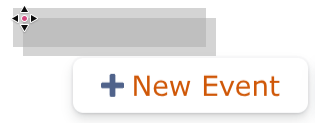
When using DayPilot.Calendar.makeDraggable (and now DayPilot.Month.makeDraggable ), it seems that two items are actually dragged now instead of a single one.
In “2026.1.6820”, using DayPilot.Calendar.makeDraggable results in (while dragging from the button):
In “2026.1.6821”, it results in:
It’s the same behavior with DayPilot.Month.makeDraggable.
Comment posted by Julien 8 months ago.
I’ll make more tests, but I think this occures when there is both a Week Calendar and a Month Calendar on the same page.
Comment posted by Julien 8 months ago.
I confirm, it seems that as soon as I add a simple
const dpMonthCalendar = new DayPilot.Month('dpMonthCalendar', {});
dpMonthCalendar.init();
on a page where there is already a Week calendar, the issue occures.
Comment posted by Dan Letecky [DayPilot] 8 months ago.
Thanks for the bug report. Please let me check that.
Comment posted by Dan Letecky [DayPilot] 8 months ago.
 DayPilot