search envelope-o feed check
Home Unanswered Active Tags New Question
user comment-o

React Scheduler > `timeRangeSelectedHandling: 'Disabled` does not register click on timeline canvas

Asked by Andy
1 month ago.

Hi,

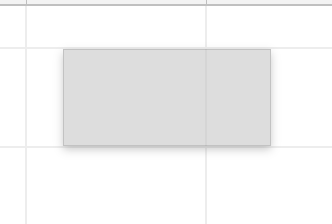
The scheduler has this setting timeRangeSelectedHandling set to Disabled to prevent user from creating the rectangle range in the attached image.

I am using reactstrap’s Popover to anchor a popover (ie: menu option) over a timeline’s item and using `react-onclickoutside` package to determine if there is an outside click to close the popover.

However, with Disabled, it seems the scheduler doesn’t register the click on the timeline canvas as an outside click. It works when `timeRangeSelectedHandling` is set to Enabled.

Can you provide guidance? Thank you!
Answer posted by Dan Letecky [DayPilot]
1 month ago.

Hi Andy,

The Scheduler handles the mousedown event and prevents it from bubbling if the timeRangeSelectedHandling is set to "Disabled".

To hide the popover, you can handle the onGridMouseDown event. This event is always fired, regardless of the timeRangeSelectedHandling value. You can close the popover from there.

Comment posted by Andy
1 month ago.

Hi Dan,

Thank you for the suggestion.

Our popover component infrastructure relies on event bubbling to close the popover with outside click detection. We hope to keep it at that without having to add more code.

import onClickOutside from 'react-onclickoutside';
import { Popover } from 'reactstrap';

class CorePopover extends Component {
  // This is from `onClickOutside`
  handleClickOutside = (e) => {
    const { closePopover } = this.props;
    
    console.info("Outside click - closing popover");
    closePopover();
  }

  render(){ 
    return <Popover ... />
  }
}

export default onClickOutside(CorePopover);

//

<CorePopover closePopover={() => // Logic to close popover} />

For now, we decided to just hide the time range selection’s rectangle shadow with this snippet while keeping `timeRangeSelectedHandling: Enabled` (by default).

  .scheduler_default_shadow {
    display: none;
  }

Do you think it is a good approach for the time being?

Comment posted by Andy
1 month ago.

Actually, the above approach seems to also hide the shadow when resizing or moving event…

Comment posted by Dan Letecky [DayPilot]
1 month ago.

Hi Andy,

Yes, this will work. I’d also add this to clear the time range selection immediately:

onTimeRangeSelect: args => { scheduler.clearSelection(); }
Comment posted by Dan Letecky [DayPilot]
1 month ago.

You can add a custom CSS class to the shadow using onEventMoving, onEventResizing, onTimeRangeSelecting. That will let you hide the shadow selectively.

This question is more than 1 months old and has been closed. Please create a new question if you have anything to add.