DayPilot
Navigator loses customisation on time range selected changes
Asked by Pete
8 months ago.
8 months ago.
Two things I am having issues with:
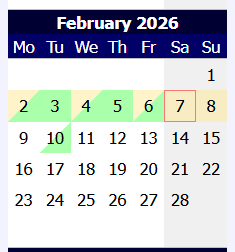
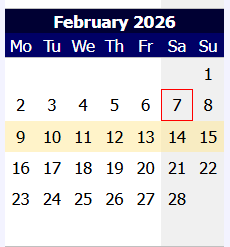
1) When I select a new time range on the navigator, it loses the customisation I have setup on the BeforeCellRender.
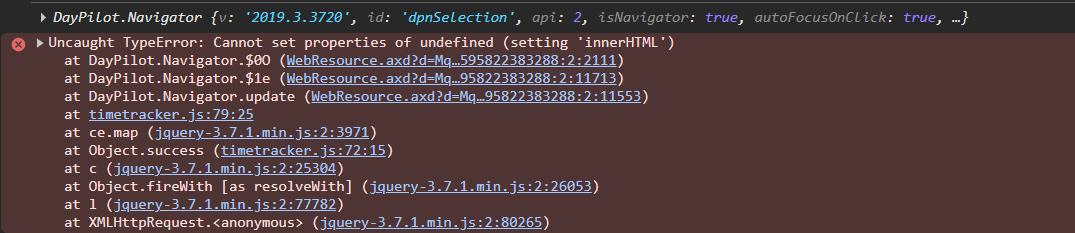
2) How can you update the navigator through javascript? I have tried using the nav.update(), but it comes up with the error in screenshot 3.
Javascript
let nav = new DayPilot.Navigator("dpnSelection");
console.log(nav);
nav.update();
Nav declaration
<DayPilot:DayPilotNavigator ID="dpnSelection" runat="server" ClientIDMode="Static"
ShowMonths="3" SelectMode="Week" CellHeight="25" CellWidth="25"
OnBeforeCellRender="Selection_BeforeCellRender"
OnTimeRangeSelected="Selection_TimeRangeSelected" TimeRangeSelectedHandling="Postback" />